Page 5 of 21


Step 1 of 7
1
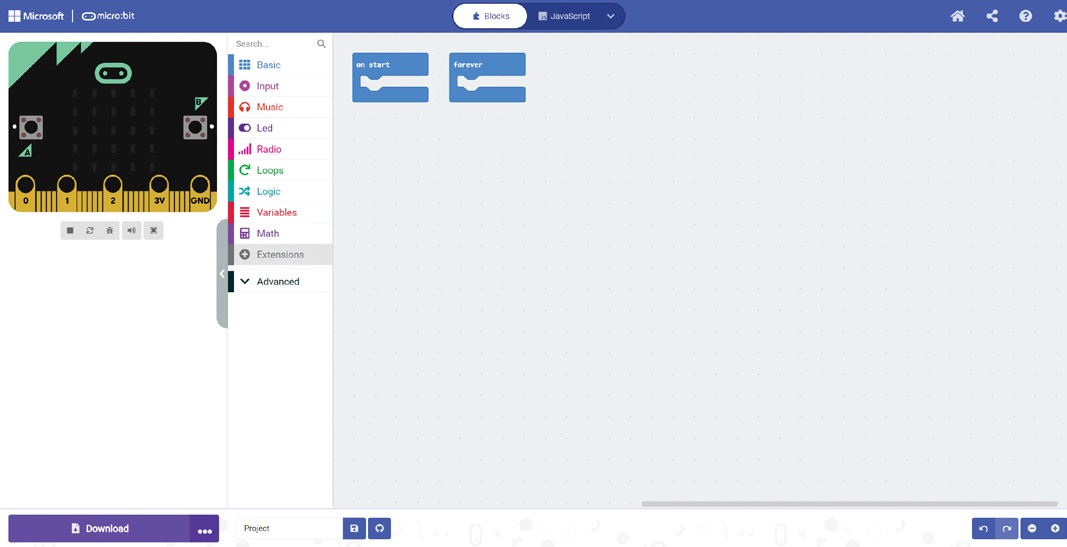
Step 1: Start a project in MakeCode
Go to makecode.microbit.org in Chrome or Edge. Click New Project, call it badge and click Create. Plug the micro:bit into the computer. Click the three dots next to Download, then Connect device, and follow the steps on screen.