Page 14 of 21


Step 5 of 7
5
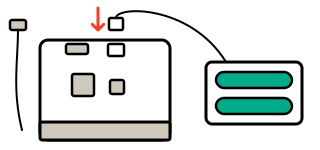
Step 5: Put your micro:bit on batteries
Put the batteries in the pack, matching the + and − marks. Unplug the USB cable. Push the white plug into the small white socket on the back, and switch the pack on if it has a switch. Press A, then B. Does your badge work without the computer?