Page 16 of 29


Step 5 of 9
5
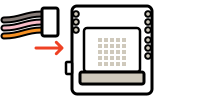
Step 5: Connect the servo board and press A
Click Download, then unplug the USB cable. Switch the board off and put 3 AA batteries in the back, matching the + and − marks. Push the micro:bit into the board, lights facing out. Plug the left servo into Servo 1 and the right into Servo 2, brown wire at the top. Switch on: waving servos turn to the middle. Push a plastic arm onto each servo, tape a stick to it pointing up, put the board in its pocket and press A. Do both arms move?